Best 3D Pen for Artists: Creative Tools to Elevate Your 3D Drawing
Discover top 3D pens designed for artists who want to bring ideas to life in three dimensions. This guide highlights five standout pens, focusing on precision, safety, and ease of use for both beginners and seasoned creators. Explore features, file formats, and practical tips to choose the right model for your studio or classroom.
| Product | Brand | Key Feature |
|---|---|---|
| SCRIB3D P1 3D Printing Pen with Display | SCRIB3D | Stepless speed control and a ready-to-use kit |
| MYNT3D Professional Printing 3D Pen | MYNT3D | OLED display with adjustable temperature and speed |
| 3Doodler Start+ Essentials 3D Pen | 3Doodler | Child-safe design with kid-friendly plastics |
| MYNT3D Super 3D Pen | MYNT3D | ABS and PLA compatibility with flow control |
| 3Doodler Flow 3D Printing Pen | 3Doodler | Real-time temperature monitoring and versatile filaments |
The featured pens cover a spectrum from kid-friendly options to professional-grade tools, each supporting artists in creating durable, dimensional artwork. Whether you’re sketching in thin lines or building layered sculptures, these devices offer practical controls, safety considerations, and compatible filament options to suit different projects.
SCRIB3D P1 3D Printing Pen With Display

The SCRIB3D P1 is designed for creative projects with a focus on spatial thinking and artistic skill development. It features stepless speed control to accommodate both detailed designs and faster infill tasks. The kit includes three colors (30 feet) of PLA filament, a power adapter, step-by-step manual, and a stencil guide, enabling users to start drawing right away. Beginners can warm up in about 2–3 minutes, then feed filament through the nozzle for smooth operation and easy retraction when finished. PLA is praised for ease of use and reliability, making this pen suitable for classrooms and home studios alike.
MYNT3D Professional Printing 3D Pen
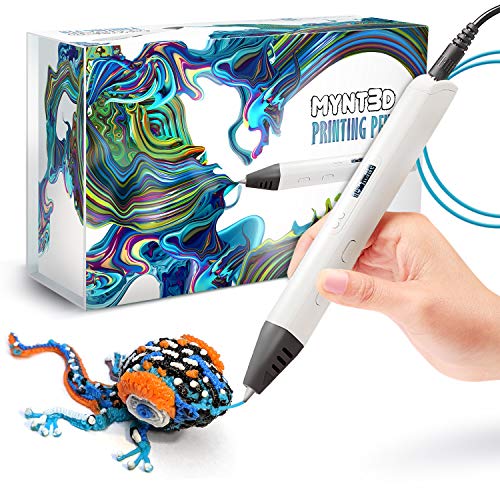
The MYNT3D Professional 3D Pen offers adjustable feed rate for precise control of material flow, paired with a temperature range of 140–230°C. This allows fine-tuning for different filaments and applications, from delicate tracing to robust infill work. A real asset for artists who want to optimize their drawing speed and material behavior, the OLED display provides direct feedback on settings, helping maintain consistent output during long sessions. The pen is suitable for users who require a reliable, controllable tool for intricate sculpture and mixed-media projects.
3Doodler Start+ Essentials 3D Pen
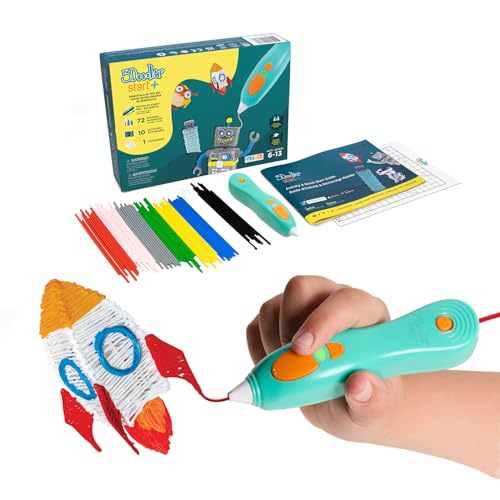
The 3Doodler Start+ is designed as a child-safe option with no hot parts, allowing kids aged 6+ to explore 3D drawing without burn risk. It uses specially formulated Start plastic filaments and adds improvements like faster charging, more filaments, and new stencils. The device emphasizes screen-free learning and hands-on exploration, making it ideal for classrooms, homeschooling, or family projects where safety and ease of use are priorities. The Start+ promotes creativity through guided templates while keeping a low barrier to entry for beginners.
MYNT3D Super 3D Pen

The MYNT3D Super 3D Pen is designed for versatile use with 1.75mm ABS and PLA compatibility. It features a stepless speed slider for precise control of material flow and introduces an ultrasonic sealed nozzle aimed at reducing clogs and boosting durability. This model supports a wide range of filament types, making it suitable for artists who experiment with different textures and finishes. The Super line emphasizes reliability and performance for more ambitious projects that require consistent extrusion across longer sessions.
3Doodler Flow 3D Printing Pen

The 3Doodler Flow stands out with multi-functional compatibility and an integrated LCD for real-time temperature monitoring. It supports 1.75mm filaments like PLA, ABS, and wood, enabling artists to select the best material for each effect. The Flow pen is designed for ease of use—plug it in, wait for heat, and start drawing. It’s well-suited for teachers and students, and for creators who prefer immediate feedback while working on 3D projects and stencil-based designs.
Buying Guide: Key Considerations For Selecting A 3D Pen
- Safety and age suitability: Child-safe designs and ergonomic grips reduce risk and fatigue, especially for younger artists.
- Filament compatibility: Look for pens that support commonly available plastics (PLA/ABS) and preferred sizes (1.75mm). Some models add wood or specialty filaments for unique textures.
- Temperature and speed control: Adjustable temperature and stepless or precise speed adjustments allow you to tailor extrusion to the filament and project complexity.
- Display and feedback: OLED or LCD displays help monitor heat, temperature, and settings during long sessions and intricate work.
- Included accessories: Starter sets, stencils, project guides, and extra filaments can accelerate learning and expand creative options.
- Ergonomics and build quality: A comfortable grip and durable construction are important for extended sessions and large-scale builds.
- Cleaning and maintenance: Easy cleaning, clog resistance, and nozzle durability reduce downtime between projects.
- Project scope: For beginners, a kid-friendly or all-in-one kit can provide a gentle learning curve. For professionals, prioritize precision, filament compatibility, and advanced features.
When evaluating options, consider your typical project types—detailed line work, sculpture, or mixed-media installations—and the environment you work in (home studio, classroom, or studio space). The right pen should balance control with comfort, enabling consistent results across sessions and different materials.