Best GameCube Controllers for Melee: Top Picks for Smash and Classic Play
Gamers seeking the classic feel of Melee on Nintendo systems often look for reliable GameCube controllers and adapters. This guide examines popular options that support Melee and Super Smash Bros. titles across Wii, Switch, and PC. Each pick highlights compatibility, comfort, and features to help you choose the right controller setup for competitive play or casual sessions with friends.
Summary Table Of Selected Products
| Product | Brand | Key Features |
|---|---|---|
| FIOTOK Gamecube Controller, Classic Wired (Purple) | FIOTOK | Wide compatibility, plug and play, up to 4 controllers, enhanced analog stick and D-Pad, supports Super Smash Bros. with adapter not included |
| FIOTOK Gamecube Controller, Classic Wired (Black) | FIOTOK | Same as Purple model: wide compatibility, four controllers, improved tactile controls, requires adapter for certain setups |
| FIOTOK Gamecube Controller, Blue & Red 2-Pack | FIOTOK | Two-pack wired controllers, four-controller support with adapter, enhanced vibration feedback, multiplayer-ready |
| MAYFLASH GameCube Controller Adapter for Wii U, PC, Switch | MAYFLASH | Supports up to four controllers, cross-platform (Wii U, PC USB, Switch), provides vibration without delay via USB |
| Nintendo Super Smash Bros. Ultimate Edition GameCube Controller | Nintendo | Official Nintendo controller, first-party build, compatible with multiple systems via adapter, iconic design |
FIOTOK Gamecube Controller, Purple

FIOTOK’s Purple wired GameCube controller provides broad compatibility with GameCube and Nintendo Wii systems. The wired design delivers stable input with an upgraded analog stick and D-pad, plus rumble feedback to match in-game action. Its plug-and-play setup is straightforward for immediate Melee sessions, and it supports multiplayer with up to four controllers when paired with a suitable adapter. This model is a practical option for players seeking familiarity with the original GameCube feel on modern displays.
FIOTOK Gamecube Controller, Classic Wired (Black)
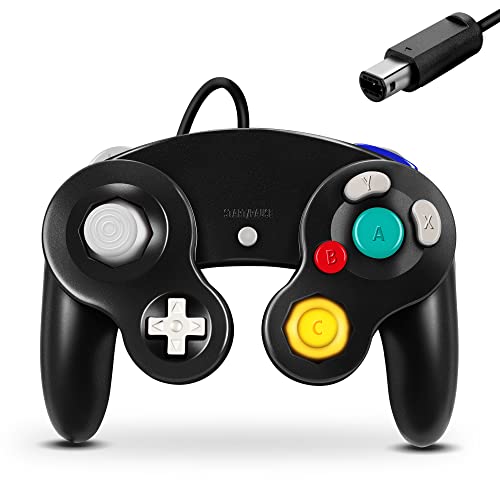
The Black FIOTOK controller mirrors the Purple variant with robust compatibility and a comfortable build for extended Melee sessions. It emphasizes ease of use with plug-and-play functionality and supports up to four controllers via a compatible adapter. The responsive analog stick and D-pad deliver precise input for competitive moves, while vibration adds tactile feedback during action moments. This option is well-suited for players who value consistency across multiple game platforms.
FIOTOK Gamecube Controller, Blue & Red 2-Pack
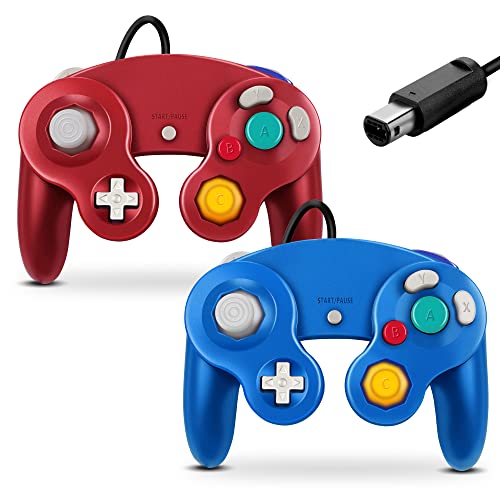
This two-pack from FIOTOK offers a practical multiplayer solution, featuring two wired controllers that integrate with GameCube and Wii consoles. The pack supports up to four controllers when used with a compatible adapter, making it ideal for four-player Melee sessions. The controllers come with upgraded sticks and vibration feedback, aligning with fans of dynamic Smash battles and quick, responsive controls.
MAYFLASH GameCube Controller Adapter for Wii U, PC, Switch

The MAYFLASH adapter is a versatile hub that lets you connect up to four GameCube controllers to a variety of systems, including Wii U, PC, and Nintendo Switch (Switch/Switch 2). This option supports built-in vibration and keeps latency low by utilizing USB connections. It’s a popular choice for players who want to play Smash titles on multiple platforms with authentic GameCube controllers, especially when a traditional console setup isn’t available.
ADHJIE Wireless GameCube Controller for Nintendo Switch

This wireless option from ADHJIE brings a modern twist to the classic GameCube layout. It works with Nintendo Switch, PC, and Steam, offering a quick wake-up feature and Bluetooth pairing for fast setup. It includes a turbo function with adjustable rates to suit different action games, including Super Smash Bros. titles. The controller is designed to mimic the familiar GameCube shape while offering wireless convenience for players who want smoother movement without cables.
Nintendo Super Smash Bros. Ultimate Edition GameCube Controller

This Nintendo-branded controller carries the official look and feel fans expect from a classic GameCube design adapted for modern titles. While it’s primarily designed for traditional GameCube play, it is compatible with a variety of systems when used with a suitable adapter. The Ultimate Edition celebrates the franchise’s legacy and provides another dependable option for Melee-inspired gameplay and other Smash titles.
Nintendo Super Smash Bros. Black Classic GameCube Controller

Officially licensed and designed for compatibility across multiple systems, the Nintendo Black Classic GameCube Controller reflects Nintendo’s heritage in the controller’s construction. It remains a staple for players who prize the original ergonomics and trusted performance. Use with a compatible adapter to enjoy Melee and Smash content on the Wii U, Wii, or Switch ecosystems, depending on the setup.
Buying Guide: Key Purchase Considerations
- Platform compatibility: Determine where you’ll play (Wii, Switch, PC, or Wii U) and confirm that your controller or adapter supports that system without forcing a compromised layout.
- Wired vs wireless: Wired controllers offer consistent latency ideal for competitive Melee play, while wireless options provide freedom of movement but may require pairing and battery management.
- Multi-controller setups: If you play with friends, look for adapters that support up to four controllers, ensuring everyone can join without bottlenecks.
- Input fidelity: Prioritize controllers with refined analog sticks and responsive D-pads, as precise inputs are crucial for executing advanced Melee techniques.
- Vibration and feedback: Rumble features can enhance immersion; consider models that provide vibration feedback aligned with game actions.
- Build quality and ergonomics: Consider grip feel, weight, and button spacing, especially for long gaming sessions or high-precision play.
- Official vs third-party: Official Nintendo controllers deliver genuine GameCube familiarity but may lack some modern conveniences; trusted third-party options can offer better pricing and features like rechargeable wireless modes.
- Adapters and compatibility notes: If using Switch or PC, verify whether an adapter is required and whether it’s included or sold separately.
- Expansion potential: For future-proofing, choose options with broad compatibility across multiple systems and games beyond Melee, such as Super Smash Bros. titles and other GameCube-era games.
Across these picks, players can tailor their gear to preferred playstyles—whether sprinting for quick combos in Melee, enjoying couch co-op with friends, or setting up a Switch or PC station for classic Smash battles. The selections emphasize durable construction, familiar control layouts, and reliable compatibility, helping you preserve the authentic GameCube feel while exploring modern platforms.
Notes On Usage
Whenever you mix controllers and adapters, test each setup before a tournament or a long gaming session. Some combinations may require firmware updates or specific pairing steps. If you prefer a cable-free setup, ensure your wireless controller supports a stable connection on your chosen platform and remains comfortably comfortable for extended sessions.